
Firmware
Flash Betaflight firmware
- Download and install the Betaflight Configurator.
- Launch the Betaflight Configurator
- To flash firmware:
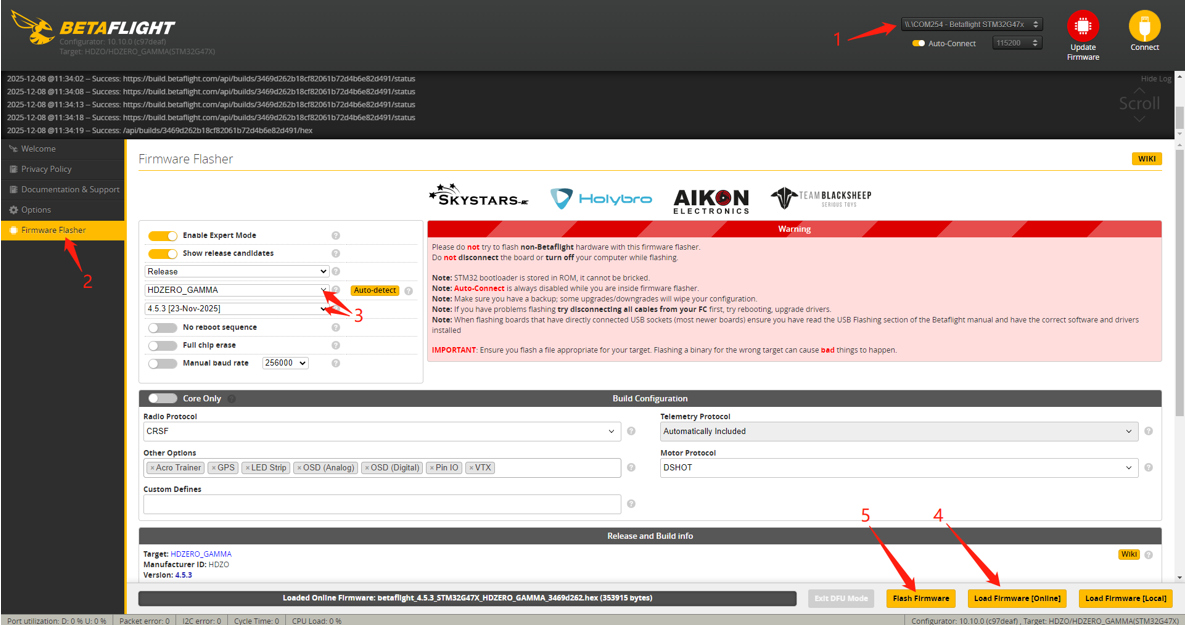
- Select the target port
- Click "Update Firmware" to enter Firmware Flasher tab
- Select target "HDZERO_GAMMA" and version, The factory version is 4.5.3[23-Nov-2025]
- Click "Load Firmware [Online] " to download the firmware
- Click "Flash Firmware" to Flash the Flight controller
DFU flash:
If you have lost communication with your board follow these steps to restore communication:
- Power off Gamma
- Enable ‘No reboot sequence’, enable ‘Full chip erase’
- Hold BOOT button and Power on via USB into PC, then release BOOT button
- Install all STM32 drivers and Zadig if required (see USB Flashing section of Betaflight manual)
- Close Betaflight configurator, Restart Betaflight configurator
- Click "Update Firmware" to enter Firmware Flasher tab
- Select target "HDZERO_GAMMA" and version, The factory version is 4.5.3[23-Nov-2025]
- Click "Load Firmware [Online]" to download the firmware
- Click "Flash Firmware" to Flash the Flight controller
Flash ELRS firmware
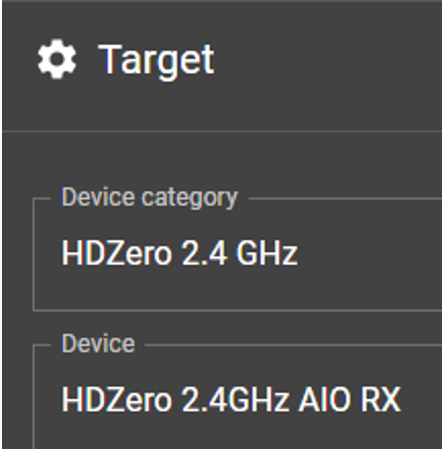
The HDZero Gamma factory ELRS firmware version is Released3.5.1, If you need to update the firmware, please refer to the ELRS update tutorials (Typical Updating Steps), and the Device Category and Device target are as follow:
Device Category: HDZero 2.4GHz
Device target: HDZero 2.4GHz AIO RX
Flash ESC Firmware(AM32)
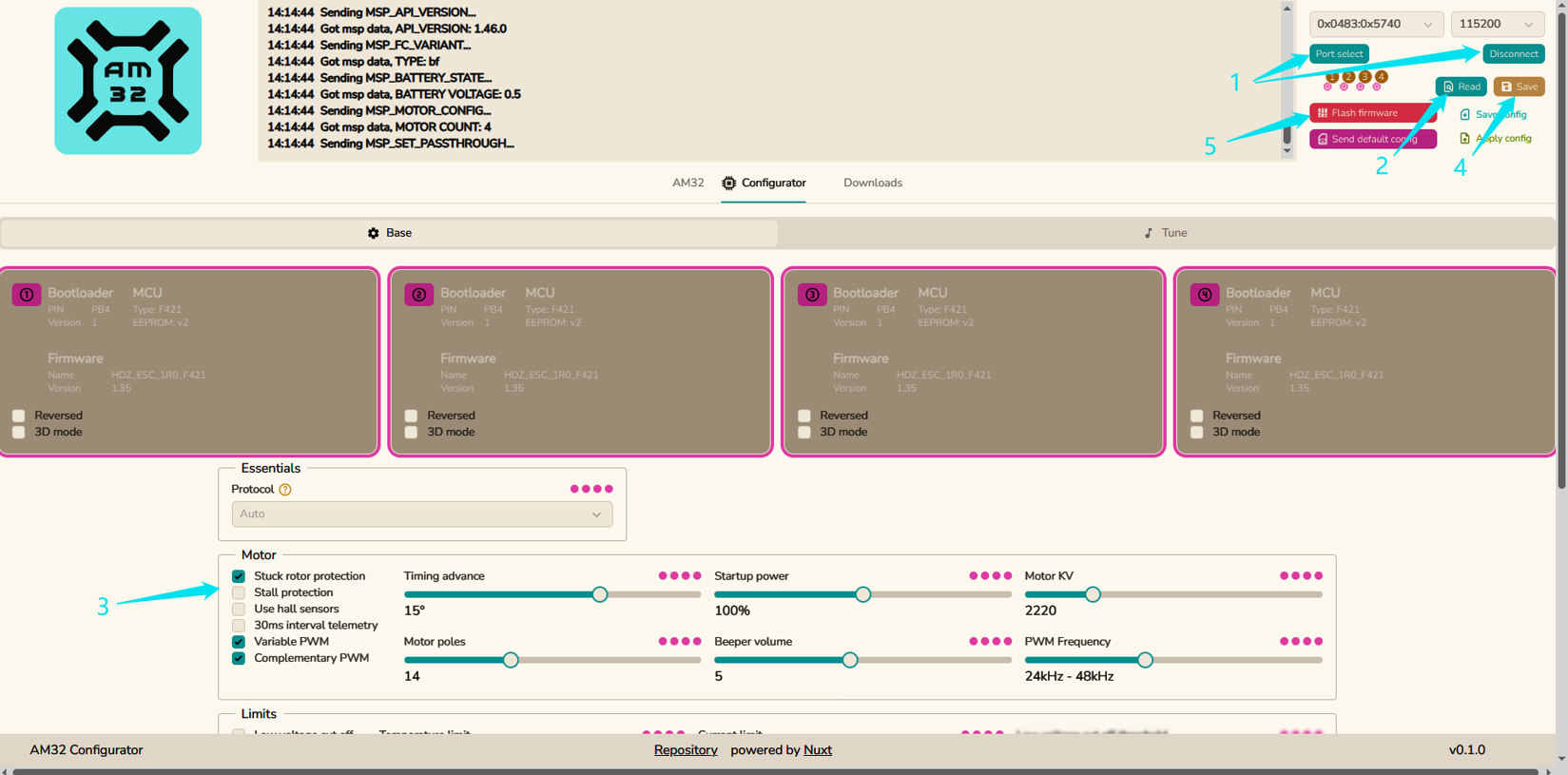
- Remove all propellers from the drone that Gamma AIO is correctly installed
- Power on the drone, and connect the Gamma to PC via USB
- Open the AM32 Configurator: http://am32.ca
- Click Port Select and Connect, then Read
- Adjust parameters as needed, then Save
If needed, click [Flash firmware] to update the ESC firmware.
 Ligen
Ligen